Posts mit dem Label Computer werden angezeigt. Alle Posts anzeigen

Samstag, 15. März 2014

Nexus Q


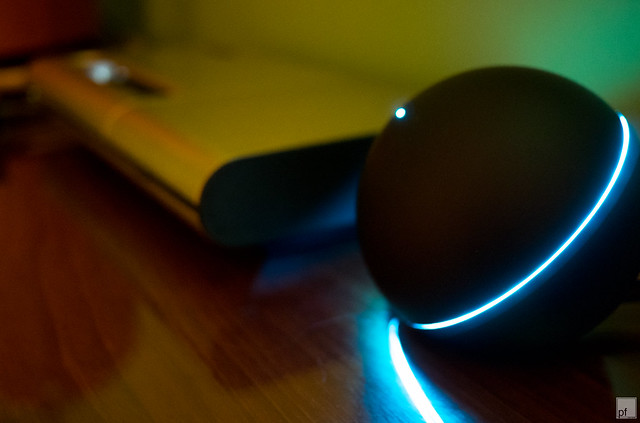
I've bought a Google Nexus Q. If you don't know it, it's a small Android based music player, essentially a Smartphone (without phone or display) with integrated power supply and amplifier. 

Google announced it in the middle of 2012 and discontinued them early 2013. I knew that but didn't think much of it. I wanted one because I like designy stuff, and the matt-black aluminium sphere with the glowing ring (set in an 45 deg. angle) looked awesome. 

And I wasn't disappointed (yet) when I unpacked it, haptically and optically it's amazing. Only after trying to get it to work that part started. 

When Google discontinued the Q they pulled the plug on all support. That means the Q App does not run on Android 4.4. And they switched off the auth servers, so new users can't register their device (which is necessary to set it up). And to screw the few who have old phones and had their Q already running, they broke the compatibility with Google Play Music after All Access was introduced. The device wasn't even two years old then... WTF?!

All that meant I've had a cool looking paper weight instead of a cool looking music player. 

Not completely happy with the situation I've looked around want could be done... well, praise the Internet and the (comparable) openness of Android, I've found ways to use it as a network music player! 

I came up with the following setup: 

* Cyanogen Mod (I used the SPDIF version) 
* VNC and SSH server for remote management
* XBMC to play music from youtube and my home server
* Cheapcast to work as an Chromecast-like device (play youtube and google play music from mobile)
   
Not really needing another media center device in our living room, I've wired the Q up to our old Bose Lifestyle 5 in the kitchen - voila, party music center and another design piece parked on our sideboard.


Samstag, 23. November 2013

Power mHack G5


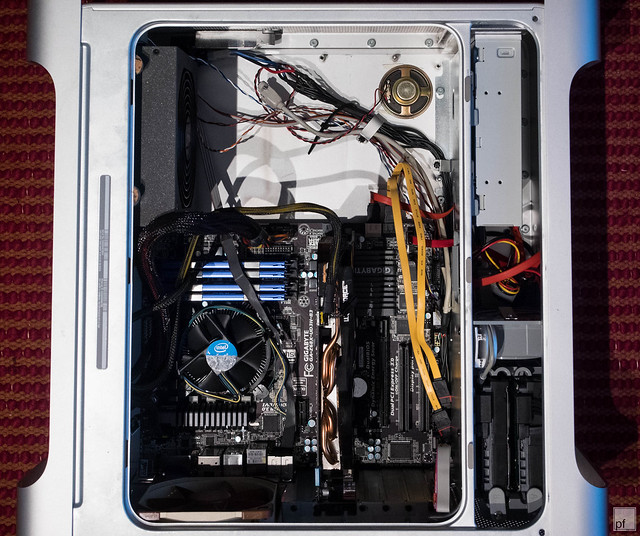
Somewhen 2008 I've bought a cleaned out Power Mac G5 case from a nice austrian guy. I had vague plans to make it into a PC case but hadn't really looked for info how other people did that. Turned out that it wasn't really easy to turn such a case into a normal PC case, at least if you still want to use the normal ports on the mainboard or want your front panel to work. So I neglected the to project and the case turned into a small table beside the couch.

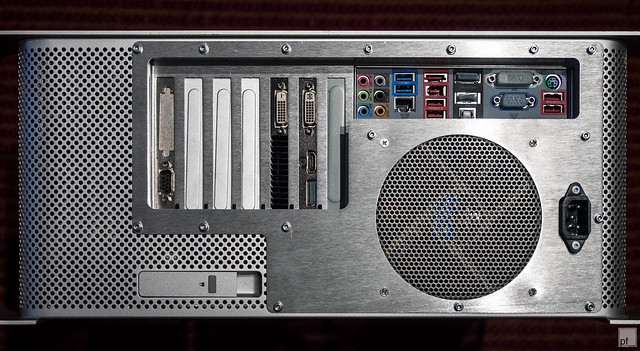
5 years later, I stumbled upon the site of Laser Hive from the UK and found their amazing collection of modding kits. I sensed the possibility to get more out of the case then a table and ordered a 'G5 full ATX kit with 120 fan, lower PCI-e slots and power connector hole (b)' and some parts for a bit over 100€.

Yes, that is a serial port. =)
After the kit arrived I managed to get everything up and running in less then 24h. Most work was done on one Saturday.  Sorry, no pics from the work, I always forget to take some. But it wasn't difficult anyway, planning the cuts on the back and cutting them with a cheap Dremel clone was the longest part.

Some specialities I want to mention:

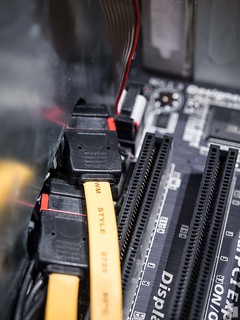
I used the HDD trays as is, with all cables as stock. The power lines I've soldered together and connected to the PSU as one, for the SATA cables I've bought two 30cm extension cables for 2€ each.

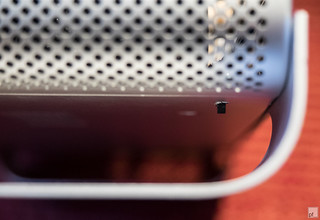
I felt I need a reset switch and glued on in at the bottom of the case. All but invisible, but easy to reach.

The PSU rests on a thick slab of soft rubber and blows out of the front. It's fixed on the sides by cork. Not perfect but really quiet. Just never forget not to turn the thing upside down.
Um, yeah, I'm looking for a better solution.

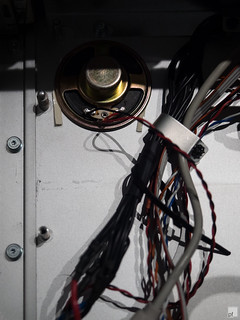
I soldered the front panel connector myself. Easy job with all this help. I skipped Firewire. The cables (which are a bit short) are fixed by bended metal stripes which are screwed on some original system board mounts. And I mounted the speaker with some double sided tape.

The case still got all the original G5 fans, but the are really loud, even with a temp control circuit. The 12cm back fan is a Noctura NF-S12A and is really silent. I've installed a new HDD fan in place of the original one (Some Arctic cooling fan I had lying around).

And the DVD burner tray needed it's front removed to fit through the gap.


Looks great under the desk and performs well as a Hackintosh (well, it did that already...)

For completeness, the hardware:

  • Intel i5-2600
  • Gigabyte z68x-ud3h-b3
  • Gigabyte Geforce GTX 660
  • 8GB Ram
  • 128GB SSD, 2x 500GB HDD (Mirror)
  • Optiarc DVD AD-7260S
  • 660W Chieftec PSU


Sonntag, 14. April 2013

Motorola Droid 4 in original Atrix LapDock


 I was always a big fan of the Motorola LapDock. The concept of having a smartphone with so much resources that it can be used like a laptop is awesome. I really think that will be the future.

Think about it.

In your pocket: A kick ass smart phone with all your data and accounts. Insert it into the lapdock (which can be super sleek and light due to being just a screen and keyboard with a big battery) and you have a Android based Laptop (Future: chromebook).

Who needs a normal laptop anymore?

Anyway, Motorola was first to implement this and sold this thing, the sleek all aluminum 11'' Motorola LapDock, only usable with the Motorola Atrix. After that one they shipped two newer models which could be used with most of Motorolas other Android handsets, but this one is the best designed.

I got one cheap on ebay (65€) and as you can see on the right picture, that is no Motorola Atrix in there, that is my Motorola Droid 4.

That was made possible through a tiny hardware hack. All that is needed to do is turning the mini HDMI and micro usb ports inside the docking cradle. All in all maybe 30 minutes work. Some trimming was necessary to turn the connectors around.  I don't know why they didn't ship it that way in the first place, everything works out of the box (except volume control if using the speakers in the dock ... which are worse than the one in the phone).

I don't know if I will use that thing much. Its pretty light, thats a plus. Decent keyboard too. I bought it for my Rasberry Pi in the first place but got the idea the moment I had it in my hands.

 Some more proof in the picture to the left.

It's sad that Motorola is leaving the whole LapDock idea behind. The newest phones come without support for the docks. I really believe that this is the future. Smartphones are so fast already, in 5-7 years time most people will need nothing else but their phone and something to give the interface more room.

Some further reading